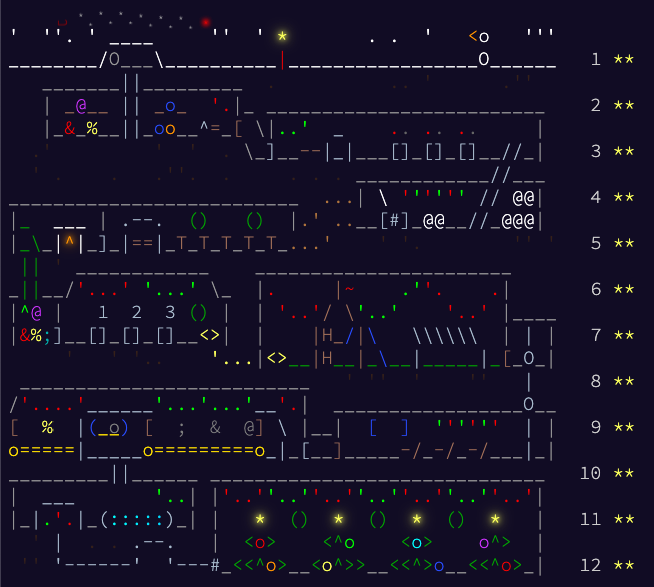
The first few problems I found hard because I was just starting to learn Gleam, so even things like parsing the input I was not sure about. The middle problems I flew through much more easily as I had learned more Gleam and the problems themselves were still not as bad relative to the final problems, which I found much trickier as problems themselves, regardless of language.
Learning a new language, I made a bunch of silly mistakes. Not beating myself up here though, the point is a new language is always a lot to learn, so it's good you can learn Gleam relatively quickly.
My solutions are here, eg day 1 part 1. In that one I found int.modulo, which returns a result, without realizing a normal modulo % operator exists, so I ended up writing a totally redundant wrapper around int.modulo that pointlessly reimplements %.
Redundant modulo was not terrible, whereas a mistake that slowed me down a lot on day 2 pt 2 was assuming list.range would be empty if the second arg was lower, but in Gleam it counts down.
Edit: list.range has since been removed from the stdlib, probably a good decision if people (hi, I'm people) were tripping on it
Which is totally reasonable; it just isn't what Python's range does, so my solution was slightly off for an input and it took me a while to figure out why.
Still, Gleam felt fast and fun to learn. Like Go, I could pick it up and try a few tour examples and get to solving aoc problems pretty quickly. Unlike Go, the solutions felt satisying enough to motivate doing all the problems.
I will also say the mistakes I made with modulo, range, etc., are due to my being dumb and not Gleam lacking functionality or documentation. The standard lib has all the tools you need for cute little aoc problems such as list, dict, and set. And hexdocs tell you % exists, range counts down, etc.
There's a lot of much less friendly stuff for interacting with the world that you can't find in the std lib (files, json, http..), but aoc, not needing any of that, is a pleasant intro to Gleam.
Gleam has a decent number of steps to install, so it's nice there's https://playground.gleam.run/, it let me do a lot of the problems in an environment without Gleam installed.
echo and todo are great quality of life features: technically the same programs could be written without echo/todo, but I as a human would struggle without echo/todo. Specifically when lining up all the types to get Gleam to compile, echo is nice to slap on to something and see what it looks like, and todo lets you run the up to that point without fixing everything. So both help you test out half constructed programs and make Gleam "friendly", making the type system learning curve a lot easier.
Also really like how echo automatically prints the line number so you can jump to the print. Would be nice if the playground had line numbers too. Still very nice though.
I had plenty of programs compile and not work due to little errors (eg off by one) or performance problems, so I wouldn't say compiles == correct. But compared to other languages where I would just write some shit and expect it to not work, in Gleam for some days as soon as something compiled it ran and gave the correct answer. Which feels weird, I'm so used to saying "fine of course it's broken when running the first time" that one shotting a problem is a big (gratifying) surprise.
Tymscar's blog mentions problem 4, I bet because the way to get an item in a 2d array and the items around it may shock you if new to Gleam. Gleam really does not want you to do mylist[i+1][j-1]. I got so mad I went looking for the commit where the maintainer removed list.at from the std lib to discourage indexing into a list:
deprecate list.at remove list.at"Gleam lists are immutable linked lists, so indexing into them is a slow operation that must traverse the list. In functional programming it is very rare to use indexing, so if you are using indexing then a different algorithm or a different data structure is likely more appropriate."
They really do not want you indexing into a list. Personally that's how I'd naturally think about checking adjacent positions for problem 4 though.
Instead I put the 2d array items into a dict where the (row index, col index) is the key, and as Tymscar says "The key ergonomic part is that dict.get gives you an option-like result, which makes neighbour checking safe by default." so you don't have to check if index is zero or max len before getting an adjacent value, which saved some work I expected to have to do. So in a sense it's nicer, although mostly for me it was different and unexpected.
For day 9 pt 2 I originally made a set of all green tiles, which was correct but crashed the playground on my computer. My solution that worked on the problem input may not have been totally correct - in the literal corner case where the green tiles are a thin layer around two sides of a square like pac-man with an open mouth it would count the square entirely outside the tiles - but for the actual problem input it was ok. Anyways, what are the general performance limits? On the playground on my computer a set of size 12345 seems fine but once you get to 12345678 it slows down noticeably.
After getting used to Gleam, many of the problems felt great, and I solved them on my own except day 10 pt 2 and day 12. For these I got so stuck I started reading other stuff including Tymscar's blog which mentioned the finale is troll and "the only puzzle I did not fully enjoy" which yeah I'd echo. For problem 10 pt 2 I copied a brilliant approach from reddit. You check each combo of buttons (at most 1 of each button) that gives each light an even value, which works because you can recurse by halving the values and multiplying that answer by 2. If you stare at this problem for a while, their comment "I expected the state space to balloon quickly like with other searching-based solutions, but that just... doesn't really happen here." rings true and is really impressive. Tbh I never would've come up with this answer on my own, so it was cool just to copy it to Gleam.
Sometimes I'd have a big ugly nested list of case curly brackets and function parens. In these cases I struggled to tell which opening bracket matches which closing bracket. I really like that Gleam has an automatic formatter, and in general I am totally happy to do whatever the formatter says without even thinking about it, but I wish it put opening brackets on the same indentation as the matching closing bracket. Although maybe IDE highlighting or something can help, and I guess if your IDE has little lines going up from a } you can follow them up to the line with the corresponding opening {.
Also, the <- use syntax probably helps with nested functions in cases where you'd have a bunch of callbacks, but I didn't use it for aoc. I did use |> a lot though.
Advent of code is full of "go through a list and for each item, add something to accumulator". Often a list of lists requires a nested fold with an outer accumulator and an inner accumulator. This tripped me up a lot at first because I'd name both "acc" and accidentally add to the wrong one. It seems like usually the one you want to use is the inner acc, so naming them "inner_acc" and "outer_acc" helped me keep them straight. Also, these two are equivalent:
I feel like the second version is more elegant and some people would really prefer it, but I'm not sure. Imo this sort of thing where you start with one version and "improve" on it is actually an anti pattern: it implies the beautiful elegant solution is NOT the obvious solution you'd immediately think of. Like the shorter nested fold code is probably more readable for experienced Gleam users, but is it readable for people who aren't as familiar? Again idk.
The downside of the elegance is it's not as easy (for me) to figure out, but Gleam is simple and friendly enough I could get into it despite it being a functional language. The upside is once you figure a solution out it is really satisfying. I have never done a full aoc before, and tbh probably only did this one because only 12 days, but also because Gleam solutions feel great.
Gleam is definitely fun for little aoc style problems; I hope it's still fun when things aren't as clean and self contained.
Day 7 (tachyon manifold) visualization Day 10 (factory joltage) visualization